ON THE SHELF
A count your team can follow.
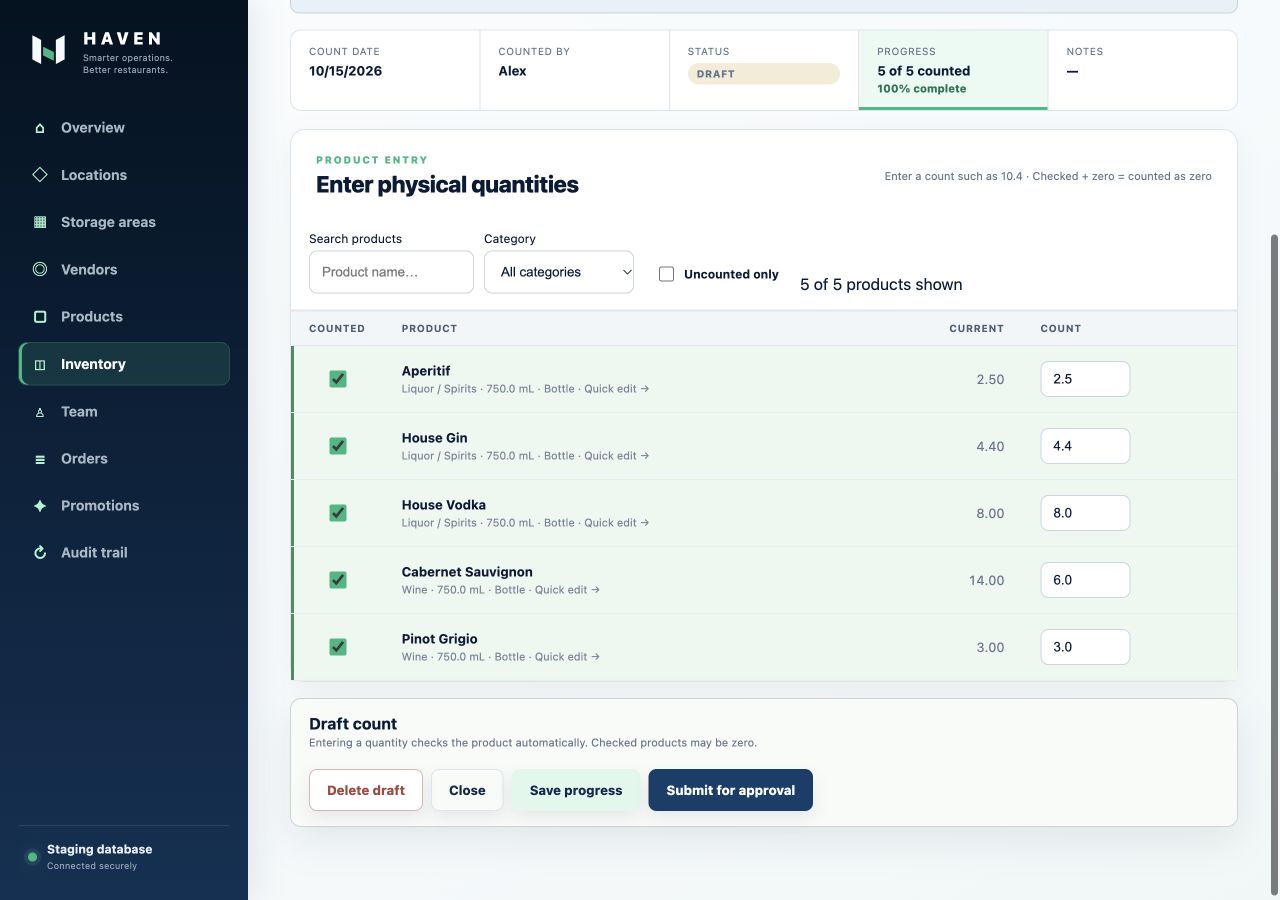
One quantity field. Saved progress. A clear approval step.
 HAVENSmarter operations. Better restaurants.
FOR THE WORK BEHIND EVERY SERVICE
Bring your restaurant’s inventory, purchasing and deliveries into one place. Give your team a clear way to count, order and receive.
Get started. No credit card required.
ONE CONNECTED ROUTINE
Keep the details together as the work moves from one person to the next.
Count by storage area, include open bottles and save your progress. Managers review counts before inventory is updated.
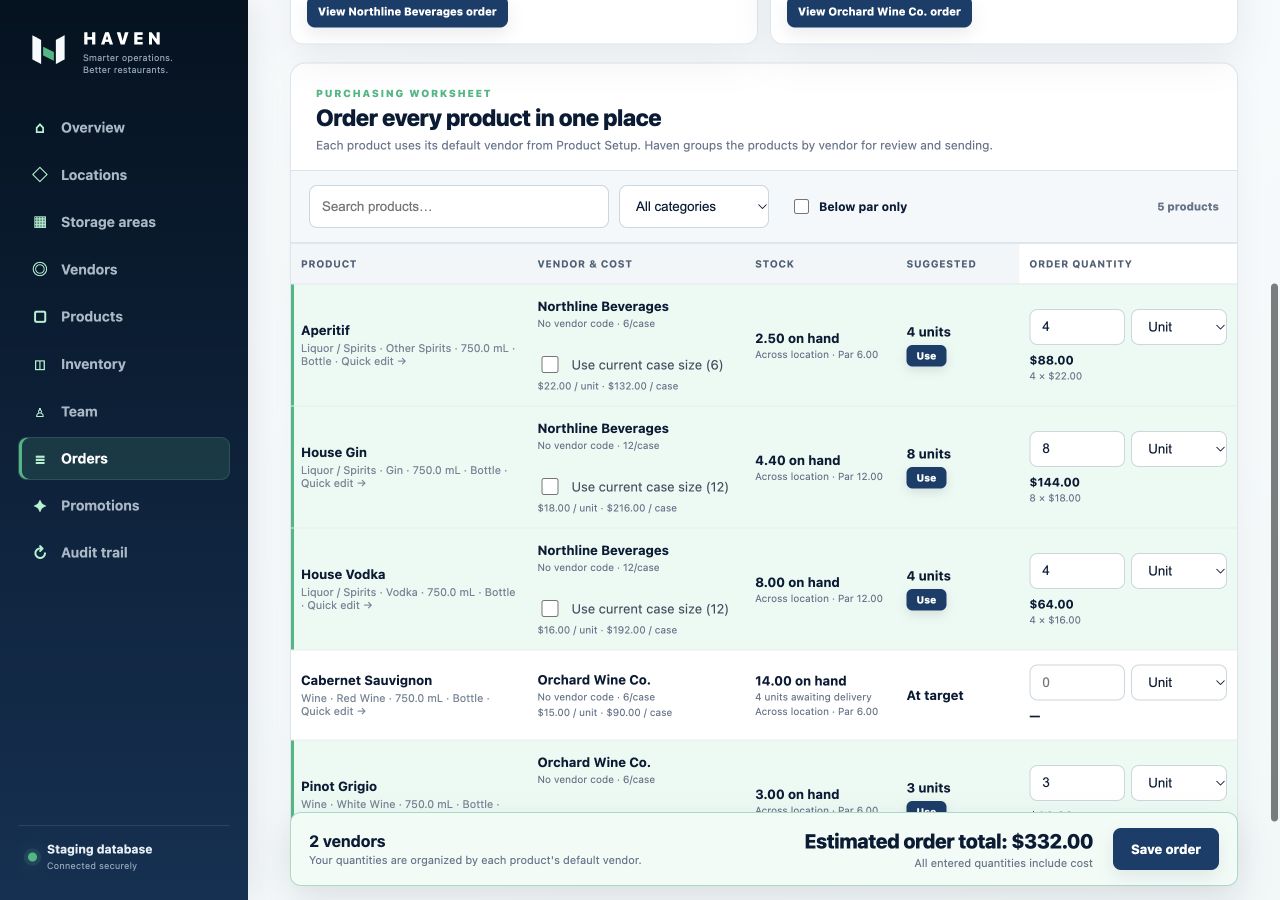
Use stock, par levels and incoming deliveries to guide your order. Review products and quantities for each vendor.
Record deliveries into the right storage area. Track partial deliveries, returns and anything the vendor still owes you.
ON THE SHELF
One quantity field. Saved progress. A clear approval step.
AT THE DOOR
See what was received and what is still on the way.
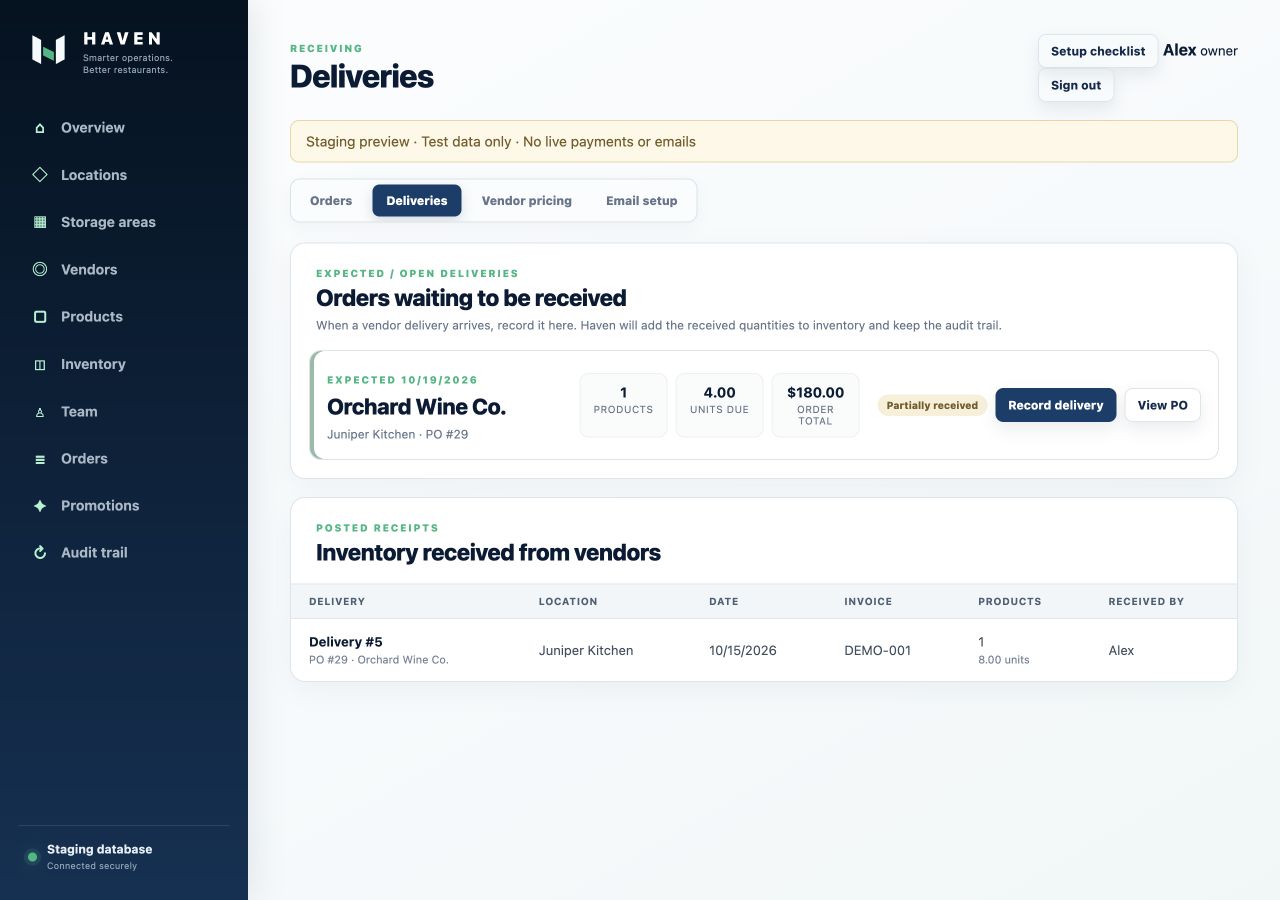
Screens show the working product with fictional restaurant and supplier data.
YOUR RESTAURANT. YOUR WAY OF WORKING.
ORDER EMAILS, FROM YOUR RESTAURANT
On Haven Plus and Haven Group, the owner can connect a Google mailbox for that business. Your authorized team reviews each order before sending it to selected suppliers. Haven requests send-only access, not access to read your inbox.
Google connections currently require an approved test user while we prepare public verification. Contact support for availability.
How Haven handles your Google data ↗FIND YOUR HAVEN
Pricing is coming soon. Choose a plan for your locations and team.
1 location · 3 team accounts
Coming soonExplore Haven Core1 location · 10 team accounts
Coming soonExplore Haven PlusUnlimited locations · 30 team accounts
Coming soonExplore Haven GroupPlan limits apply to your account. Pricing is coming soon; no subscription or payment is active.
MAKE ROOM FOR BETTER SERVICE
Start with your restaurant, your team and your first storage area.
Already using Haven? Sign in